
AI Agent
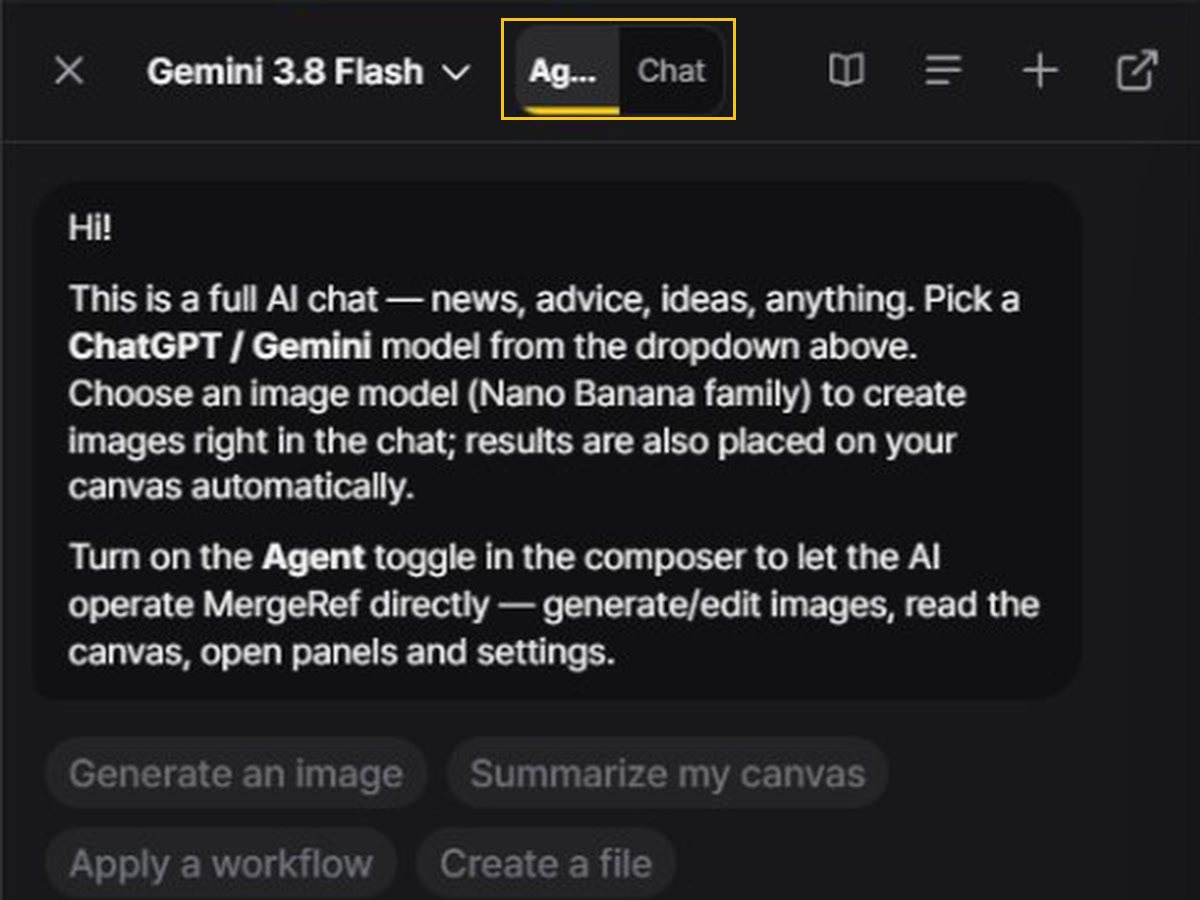
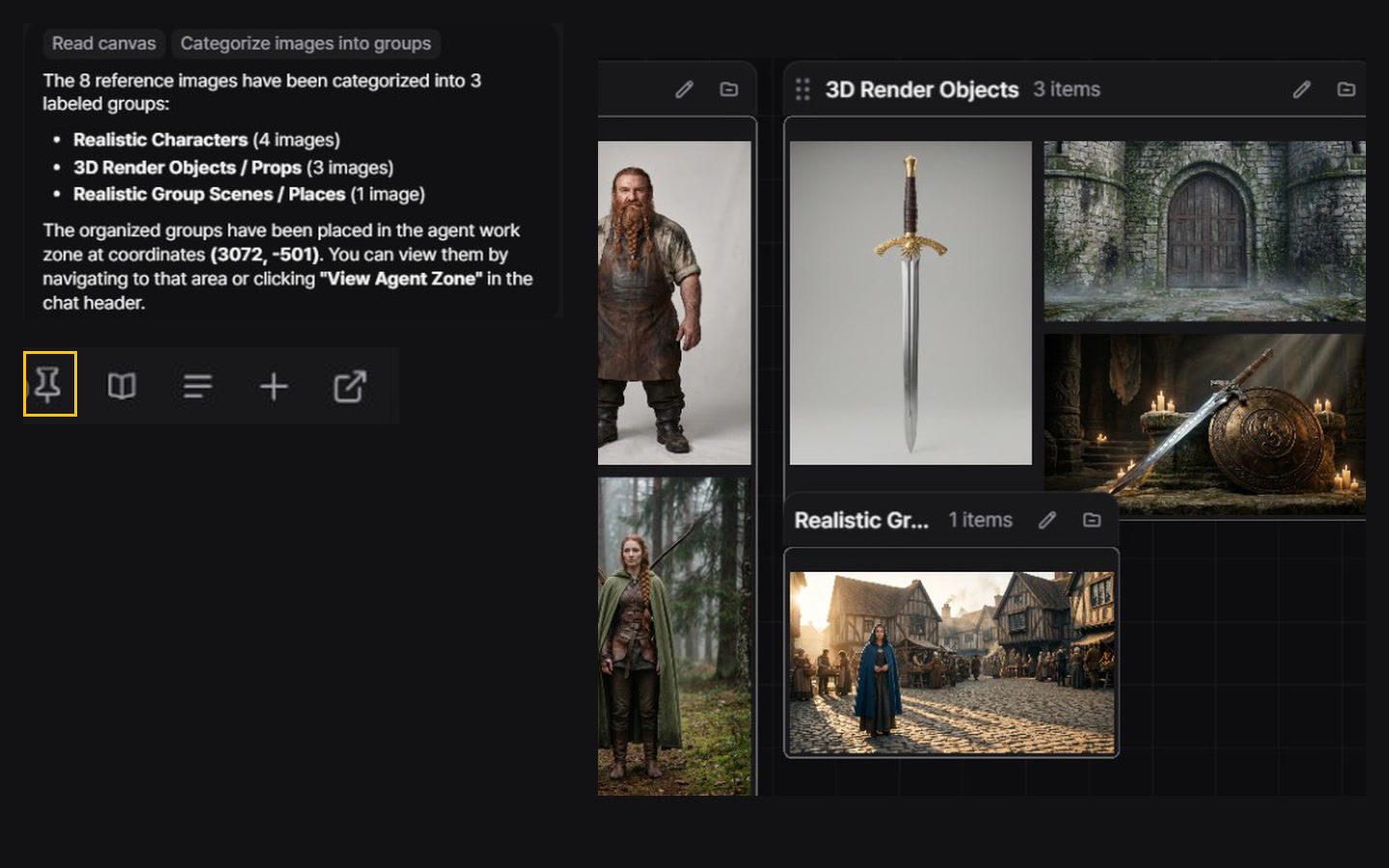
The AI Agent works with you, not instead of you. MergeRef’s motto is AI that works alongside you: you set the direction and make the calls, and the agent handles the steps. The panel is a full chat with GPT and Gemini; switch on Agent mode and it works MergeRef with you: it reads your canvas, generates and edits images, arranges the board and opens the panels and settings you need.
A partner that grows with you
The agent does not decide for you. It shows every step it takes, asks before it spends more than the budget you gave it, and every step can be undone. What makes it a partner is memory: it learns your projects, character names, style rules and the way you like to work, and in Agent mode it reads all of that at the start of every request. The more you work together, the better it fits you, and you shape what it knows.
Chat and Agent mode
| Mode | What it does |
|---|---|
| Chat | Plain chat with web search — news, advice, ideas. It does not see or change your canvas. Pick a Nano Banana image model to make images right in the chat; they are also placed on your canvas. |
| Agent | The AI can use MergeRef’s tools. Works with text models (GPT · Gemini) only. Turn it on with the Agent toggle in the composer. |
What the agent can do
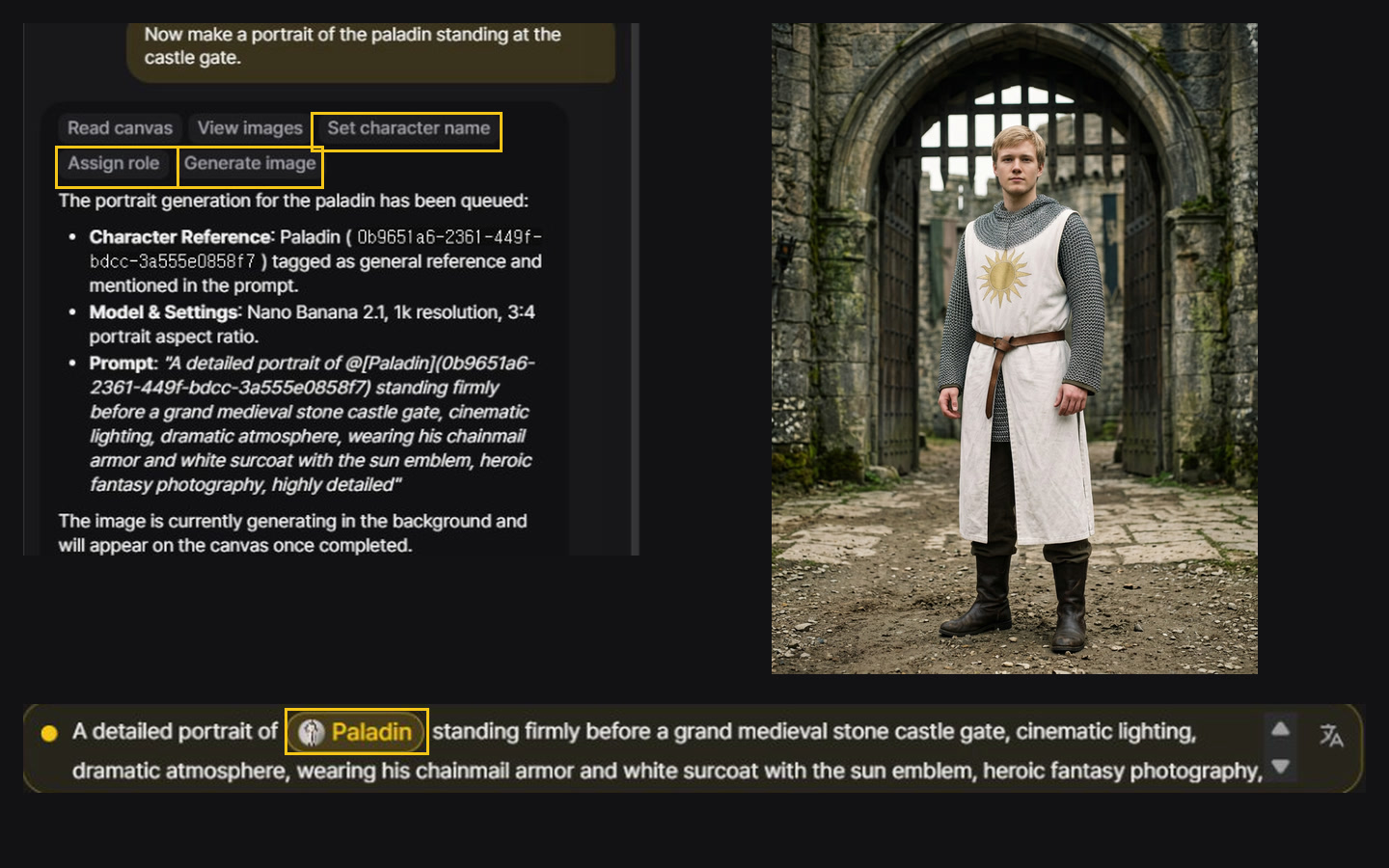
Each tool call shows in the chat as it runs. One reply stops after eight tool calls — ask it to continue if there is more to do. Images the agent makes go into its own zone on the canvas; Show agent zone jumps there.
Background jobs
For longer work, the agent starts a background job with a set number of steps and a generation budget. Keep working while it runs, and pause, resume or cancel it from the job card. When the budget is used up, it stops and asks before making more.
Agent memory
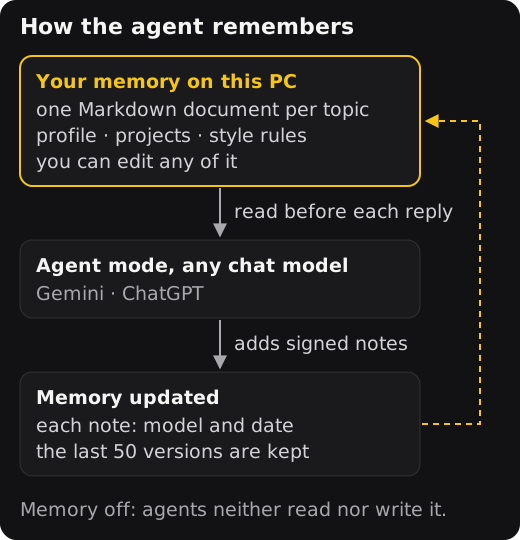
Agent memory is a set of plain Markdown documents on your PC, one per topic: your profile, your projects, your style rules and anything else you want kept. It is not stored on any AI provider’s servers; it is sent only as context with your own agent requests.
- One memory for every model. Gemini and ChatGPT agents read the same documents, so switching models does not reset what the agent knows.
- Read at the start of each request. In Agent mode, the agent reads your memory before it answers. Plain Chat mode does not use it. When the memory grows long, pinned documents are always read in full and the rest is listed by title, so the agent opens a document when it needs it.
- You stay in charge. The agent adds notes as you work and signs each one with the model and date; notes without a signature are yours, and yours win when two disagree. You can edit any document in the memory view, or open the folder and edit the files yourself. Before every change a copy is kept (the last 50), so any version can be restored. API keys and similar secrets are never saved.
- Two switches. Turn off automatic notes and the agent writes only when you say “remember” or “forget”. Turn memory off and agents neither read nor write it.
- Moves with your backup. Memory is included in a MergeRef backup file. Restoring it on another PC adds the documents that PC does not have.
Things to try
- “Summarize what images and memos are on my canvas right now.”
- “Generate an image of a cat astronaut and place it on the canvas.”
- “Come up with 5 image prompt ideas and save them as an md file.”