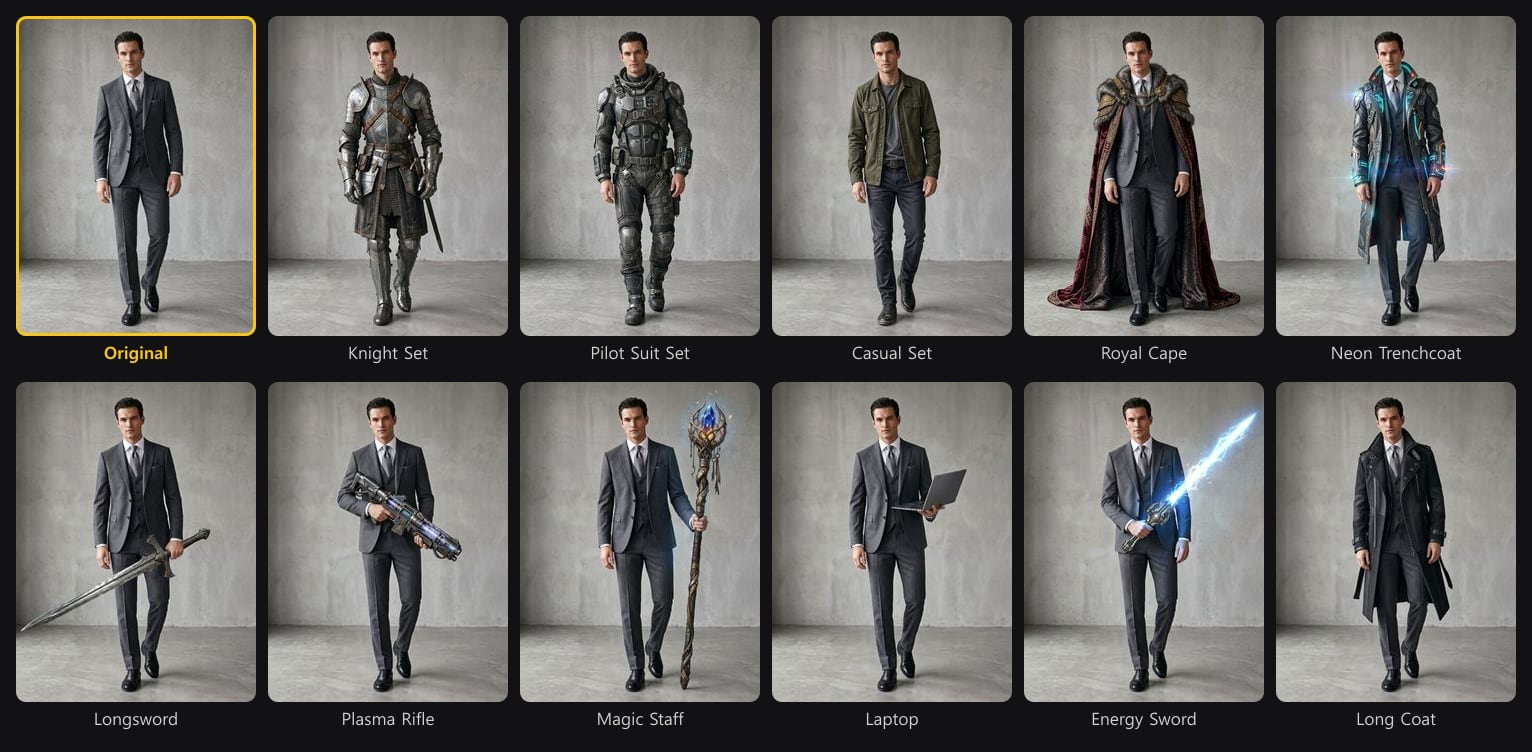
Concept Design (Part Compositing)
Concept Design composites a design part by part. Choose which body parts take the outfit reference and how strongly, and explore many design directions that follow your intent while the rest of the character stays as it is.
Part Compositing
Pick body parts on the body map — Hair, left and right shoulder, Body, left and right arm, left and right hand, Pelvis, left and right leg, left and right foot — and only those parts change. Combine it with a costume reference to swap gloves, boots or a jacket without touching the rest.
Part-by-part variations
Concept work usually means trying one idea on one area at a time. Part Compositing does that in a single pass: the parts you pick change, everything else stays locked, so you can compare directions side by side.
- Top only: select Body, arms and shoulders to try a new jacket or armor while the trousers and shoes stay the same.
- Accents: select just the shoulders or hands to add pauldrons or gloves to an existing design.
- Full outfit: select every part to restyle the whole costume from the reference.
- Strength: the five Reference Design steps move from a hint of the reference to a full swap.
| Step | What changes |
|---|---|
| Lv.1 Color & material only | Colors and fabrics from the reference; the original cut stays. |
| Lv.2 Subtle accent blend | Small reference details are added as accents. |
| Lv.3 Harmonious fusion | Original and reference shapes merge into a new design. |
| Lv.4 Reference-led recreation | The reference design leads, adapted to the character. |
| Lv.5 Full outfit swap | The selected parts take on the reference outfit completely. |
Outfit and item presets
Below the body map, Concept Design has a library of ready-made presets. Pick one and the generation turns the original character's outfit into that preset, or puts that item in the character's hands. You do not need a reference image for this.
Combine a preset with the body map to apply it to only some parts, for example a Fantasy plate chest on the top while the original trousers stay.